Opening pages
Custom web pages represent pieces of equipment and key functions of a building automation system. To open a web page, do the following:
| 1 | Log on to the TotalControl Web Portal. |
| 2 | From Navigation, choose a page. |
Typical web page
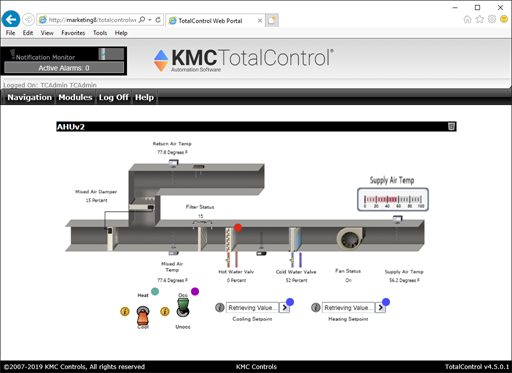
The status of a point is indicated by a color-coded information icon. Under most conditions, no information icons are visible. See the table Information icons for the color codes and description of the icons.
Note: When viewing the page with Flash, only the red Fault icon is used.


 Related topics